Mermaid Architecture Diagram: When It Works, When It Breaks, and When to Move On


A Mermaid architecture diagram is attractive for obvious reasons. It is text. It lives next to the code. It works in Markdown. You can review it in a pull request and paste it into docs without opening another tool.
That is real value.
But teams often confuse "easy to store" with "easy to maintain." Those are not the same thing. Mermaid solves the file problem. It does not automatically solve the architecture documentation problem.
If you searched for mermaid architecture diagram, you are probably not looking for a tooling manifesto. You want a fast way to show how the system hangs together.
That is exactly where Mermaid is useful.
The trick is knowing where that usefulness ends.
If you want the broader diagram-as-code tradeoffs, read Diagram as Code: When Text Wins, When It Doesn't, and What Comes Next. This post is narrower. It is about Mermaid specifically: where it fits, where it breaks, and what architecture teams usually need after the honeymoon period.
What Mermaid architecture diagrams are good at
Mermaid works best when the diagram is small, developer-facing, and close to the documentation it supports.
That usually means:
- README diagrams for one service or one flow
- lightweight docs in Backstage, TechDocs, or wikis
- simple dependency views
- sequence diagrams and flowcharts
- draft C4-style views for teams comfortable with text
Mermaid is good at getting a useful diagram into the docs quickly. That alone is better than a stale PNG nobody updates.
It is also appealing because the workflow feels native. Developers already edit Markdown. They already review changes in Git. They already think in files, diffs, and pull requests. Mermaid slides straight into that world.
Why teams reach for Mermaid first
There is a reason Mermaid keeps showing up in architecture docs.
It removes tool friction. You do not need to buy a license, export an image, or chase the latest version of a Visio file. Open the repo. Edit the text. Commit the change.
It works well in docs portals. Mermaid is especially attractive in places where documentation already lives in Markdown. Teams using Azure DevOps wikis or docs portals often start there because the path of least resistance is already available. We covered that in Azure DevOps Diagrams: 3 Ways to Keep Architecture Docs Alive.
It feels developer-friendly. Many architecture tools still look like they were designed for governance committees. Mermaid feels closer to engineering reality: fast edits, no ceremony, no mandatory metadata.
It is good enough for the early phase. When a team just needs to explain the current flow between a gateway, two services, and a database, Mermaid often is good enough.
That last point matters. Mermaid wins a lot of evaluations because teams are solving a small problem in the present. The trouble shows up later, when the architecture documentation needs to scale.
The usual Mermaid path
This pattern shows up again and again.
First, a team adds one Mermaid diagram to a README. Good move.
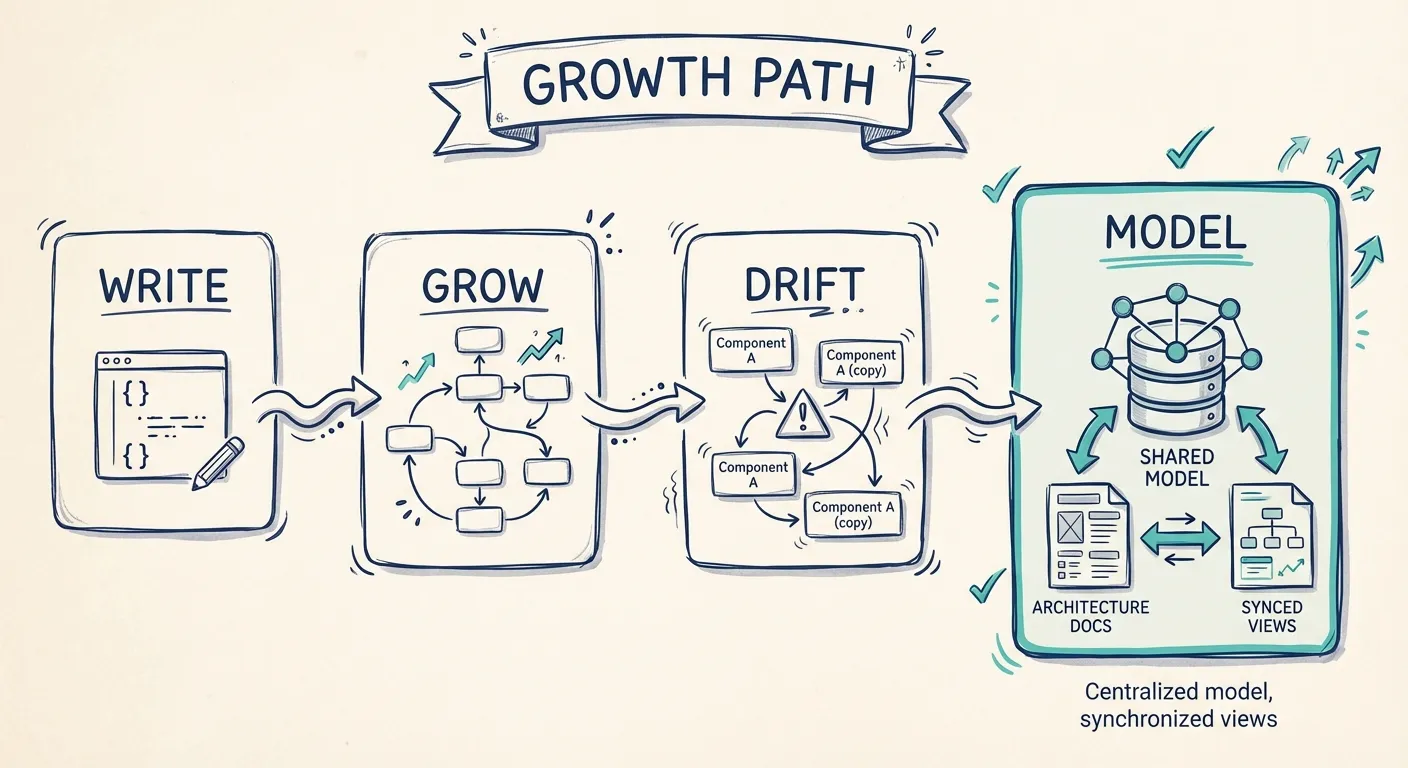
Then they add another one to explain a deployment path. Then one more for onboarding. Then a container view for architecture review. Then a security diagram for another audience.
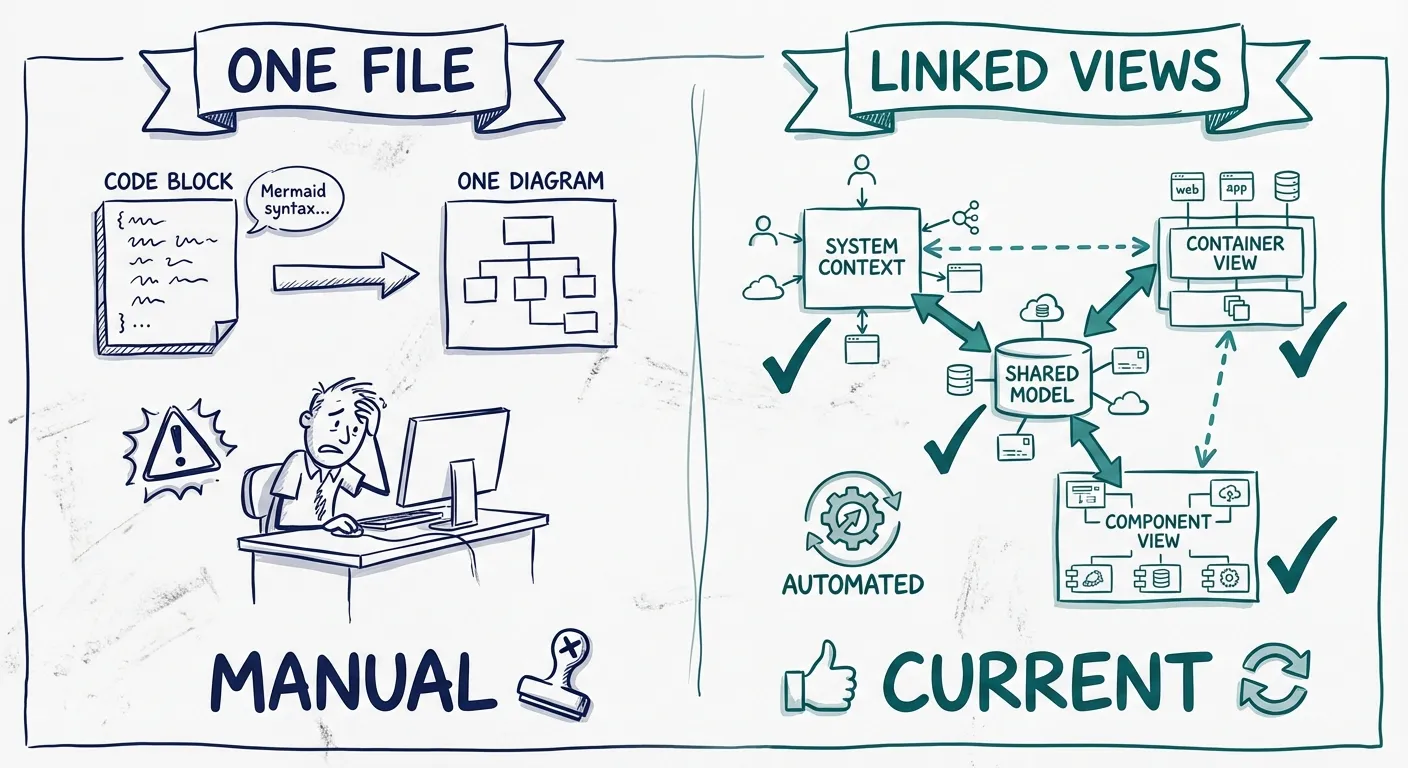
Now the same system exists in four or five places. The diagrams are still text files. They are still in Git. But they are no longer simple.
This is the point where the maintenance tax starts:
- names drift between diagrams
- relationships get updated in one view but not another
- layout tweaks take longer than expected
- the docs stay technically editable but practically neglected
That is the hidden cost of Mermaid in architecture work. It does not fail all at once. It gets gradually more expensive to keep coherent.
Where Mermaid starts to break
The breaking point is usually not syntax alone. It is the combination of syntax, scale, and audience.
1. Layout becomes a fight.
With a simple flow, auto-layout is fine. With real architecture, not always. Teams need grouping, emphasis, boundaries, and the right reading order. A diagram can be technically correct and still be painful to understand.
2. Reuse across diagrams is weak.
The same service appears in a context view, a container view, a deployment view, and a workflow view. In Mermaid, those are usually separate pieces of text. Rename something, split a service, or change a dependency, and now you are hunting across files.
3. Architecture is not only text.
Architecture work often starts with visual thinking. People drag things around, test alternatives, and react to spatial relationships. Mermaid turns that into text editing. Sometimes that is fine. Often it slows down the conversation.
4. Stakeholder readability drops fast.
Developers can live with syntax. Product managers, security reviewers, and executives usually do not want to. Even when they only see the rendered output, text-first tools tend to optimize for technical maintainers, not shared communication.
5. Multi-level architecture gets messy.
This is where a Mermaid C4 diagram often hits friction. Yes, you can create a Mermaid C4 diagram. But the real challenge is keeping Context, Container, and Component views aligned over time. The syntax is only half the problem. Consistency is the harder half.
The architecture maintenance bill
At first, Mermaid feels cheap.
Later, teams start paying in a different currency: attention.
Ask these questions:
- Can you rename a component once and trust every important view to stay aligned?
- Can you give engineers, stakeholders, and reviewers different views without duplicating half the diagram logic?
- Can you adjust the layout for communication, not just correctness?
- Can someone new to the team tell which diagram is the source of truth?
If the answer keeps being "not really," the issue is no longer Mermaid syntax. The issue is that you are using separate text files to simulate a shared architecture model.
| Architecture need | Mermaid answer | What teams usually want next |
|---|---|---|
| Fast doc updates | Strong | Keep this speed |
| Shared components across views | Manual | Built-in reuse |
| Good layout for explanation | Limited | More visual control |
| One source of truth | Weak | Model-backed views |
| Easy sharing beyond developers | Mixed | Better stakeholder fit |
This is why Mermaid often works best as a local documentation tactic, not the long-term source of truth for architecture.
What teams actually need after Mermaid
Once teams outgrow one-off diagrams, the requirements change.
They need:
- one shared representation of systems, services, and relationships
- multiple views for different audiences
- easier updates when the architecture changes
- the ability to keep docs close to engineering workflows
- diagrams that stay useful in reviews, onboarding, and design discussions
This is where diagram-first, model-backed tools make more sense. You still want the low friction that made Mermaid attractive. But you also want components to be reusable, views to stay aligned, and architecture docs to feel like living documentation instead of scattered snippets.
That is the gap Revision is built to fill. Start visually. Keep the model behind the scenes. Reuse components across diagrams. Share live docs with readers and stakeholders. Fit into engineering workflows without forcing the whole team to become DSL authors.
When to keep Mermaid, and when to move on
Keep Mermaid if:
- your diagrams are small and mostly developer-facing
- you are documenting flows inside Markdown-heavy docs
- your team values speed over polish
- nobody needs to manage many linked architecture views
Move beyond Mermaid if:
- the same architecture appears across several diagrams
- layout clarity matters for communication
- stakeholders outside engineering need to engage with the docs
- you want living documentation instead of isolated files
- your team needs consistency without manual cleanup
This does not have to be a hard switch. Plenty of teams keep Mermaid for lightweight local docs and use a model-backed tool for the architecture views that need to stay coherent over time.
That is usually the most pragmatic answer. Keep Mermaid where it stays cheap. Stop stretching it into a job it was not designed to do.
FAQ
Is Mermaid good for architecture diagrams?
Yes, for small and medium diagrams that live close to developer documentation. It is especially useful for quick flows, simple service views, and docs portals. It is less effective when you need strong layout control, many linked diagrams, or a shared source of truth.
Can Mermaid do C4 diagrams?
Yes. You can create a Mermaid C4 diagram. The harder question is maintenance. As soon as you need several C4 levels that stay aligned, the challenge becomes consistency across views, not whether Mermaid can render the boxes.
What is the biggest weakness of a Mermaid architecture diagram?
Usually it is not syntax by itself. It is that the diagram is disconnected from a reusable architecture model. Once teams need multiple views, consistent naming, and easier updates, the manual work grows fast.
The bottom line
Mermaid deserves its popularity. It is fast. It fits Git. It lowers the barrier to getting diagrams into docs.
But for architecture teams, that is only the first step.
If your goal is a quick diagram in a Markdown page, Mermaid is a solid choice. If your goal is architecture documentation that stays clear, current, and reusable across views, you will eventually need more than a text file.
That is the real decision. Not whether Mermaid works. It clearly does. The question is how long it keeps working before your team starts paying the maintenance bill.
You Might Also Like
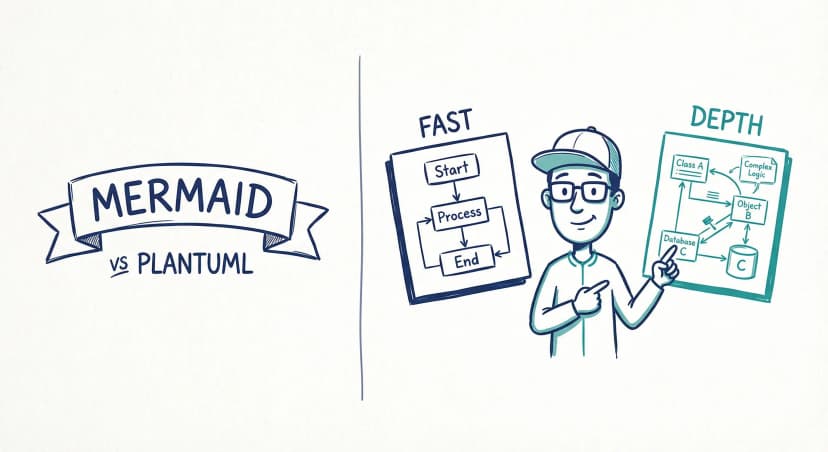
Mermaid vs PlantUML: Which Diagram as Code Tool Should You Choose?
Mermaid is easier to start and easier to embed in docs. PlantUML is broader, deeper, and stronger for C4-heavy teams. Here is how to choose between them, and when neither is the right long-term answer for architecture docs.
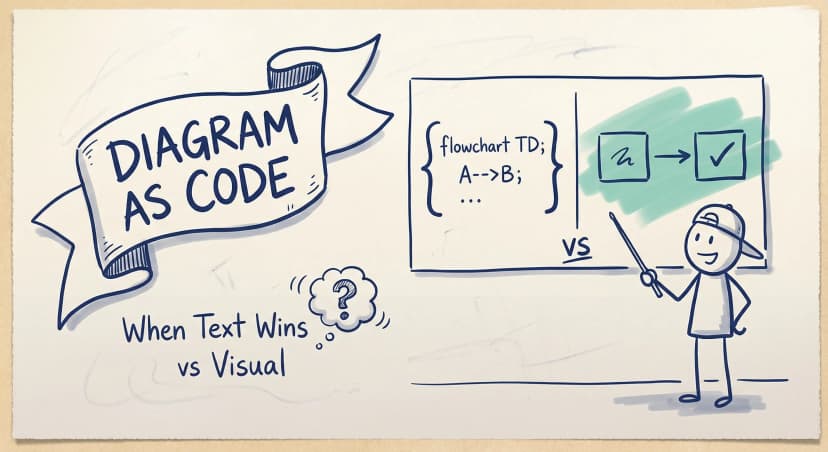
Diagram as Code: When Text Wins, When It Doesn't, and What Comes Next
Diagram-as-code promises version control, diffs, and developer workflows. But it also trades visual thinking for syntax overhead. Here's an honest look at when text-based architecture works and when visual-first is better.
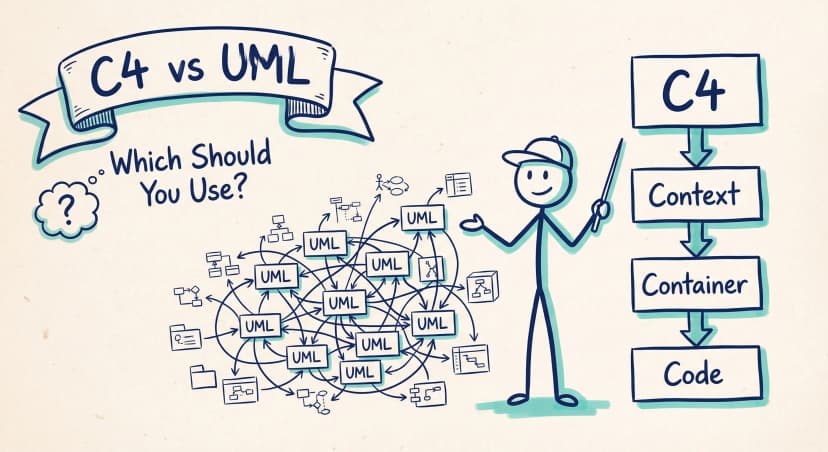
C4 Model vs UML: Which Should Your Team Actually Use?
UML has 14 diagram types. Most teams use two or three. The C4 model offers a pragmatic alternative: four levels of abstraction that developers actually want to maintain.
Architecture docs, finally.
Turn system knowledge into current architecture docs fast, with linked views and one shared model.
No credit card required