C4 Model vs UML: Which Should Your Team Actually Use?

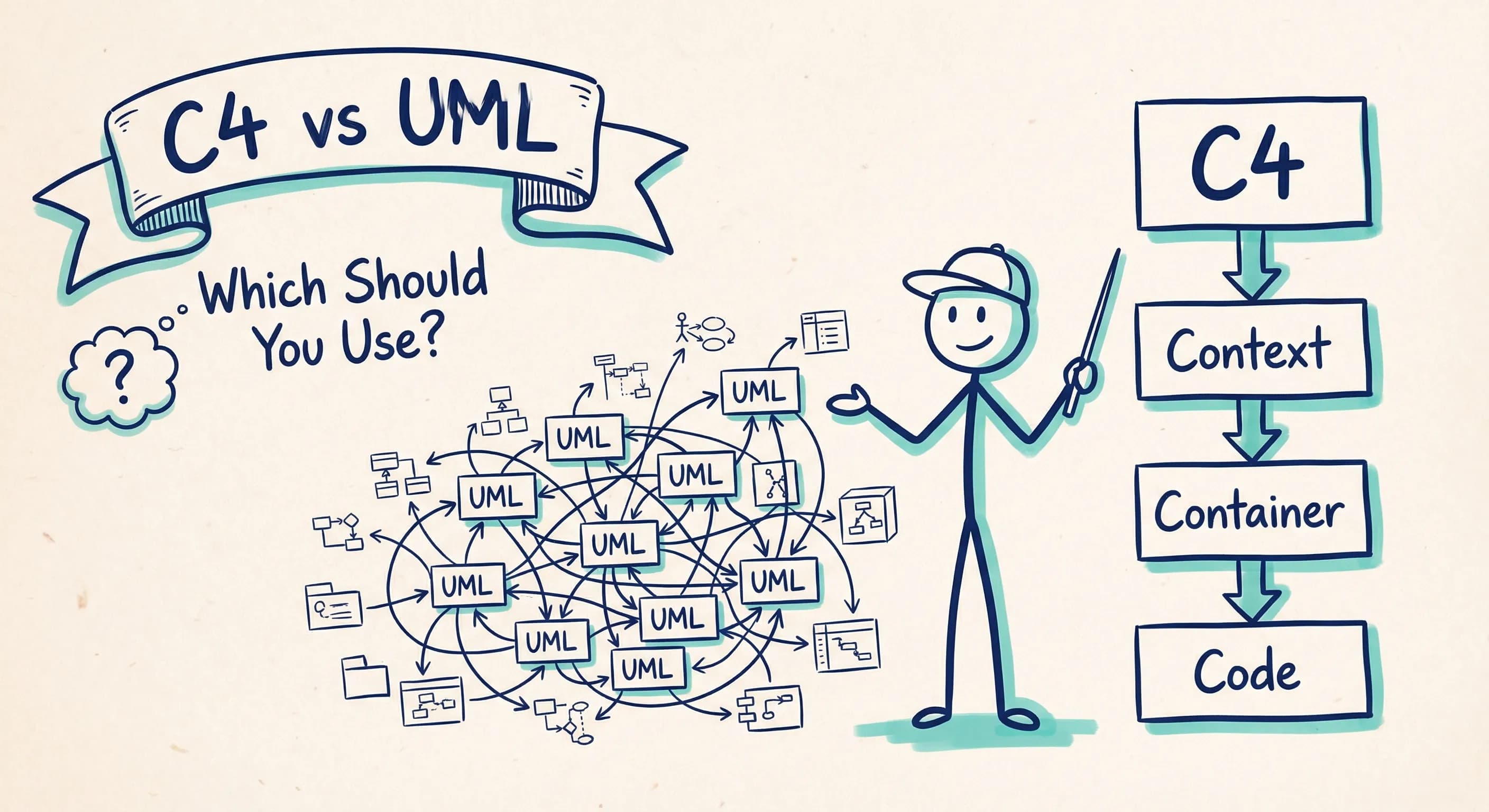
UML has been the "official" way to document software architecture for decades. It's taught in universities, required by certification bodies, and embedded in enterprise tooling.
And yet: most developers hate it.
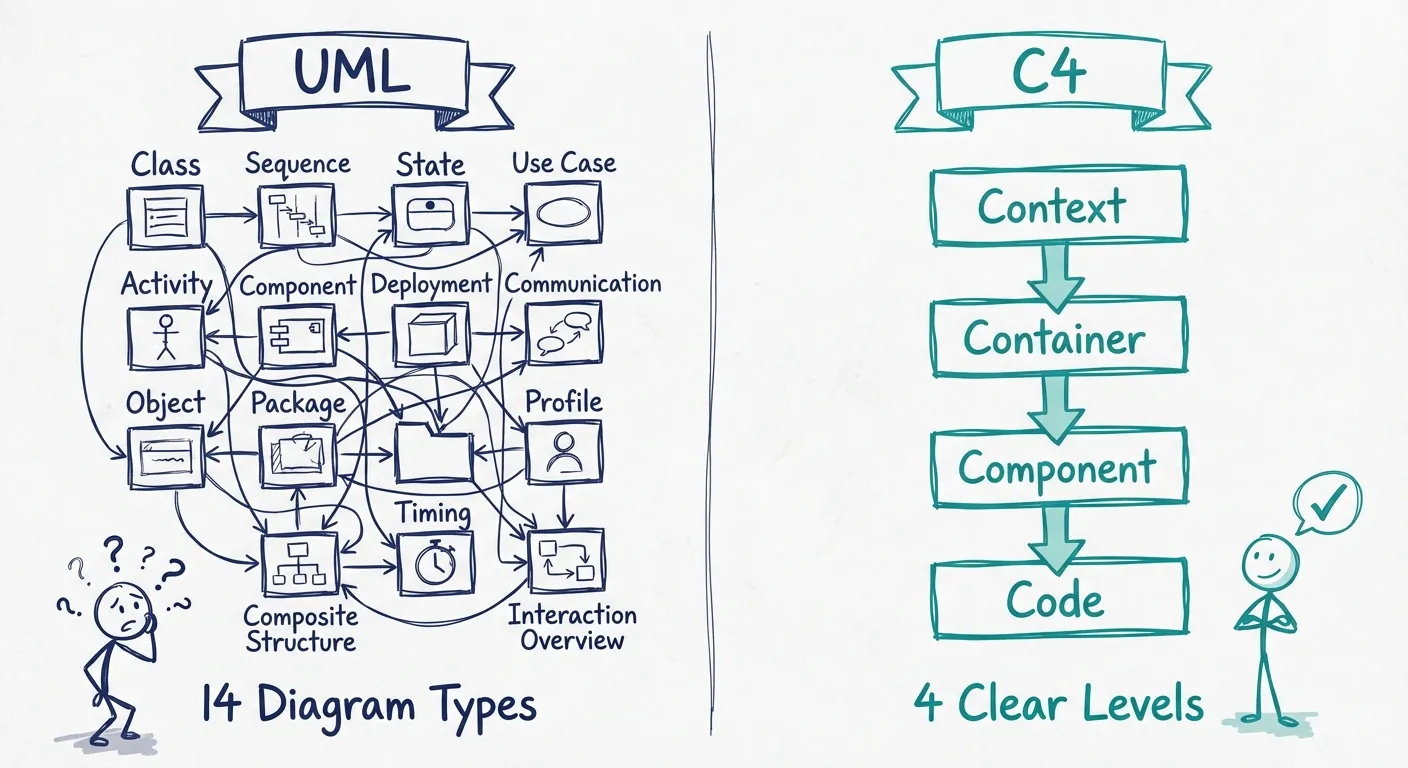
Ask any software team how many of UML's 14 diagram types they actually use. The answer is usually two or three. Maybe four if someone's feeling ambitious. The rest? Academic overhead that never sees production.
So why do we keep pretending UML is the answer?
The UML Problem
UML was designed in the 1990s to be comprehensive. It wanted to model everything: classes, sequences, state machines, use cases, deployments, and more. That ambition made sense when software was built in long, waterfall cycles with heavyweight documentation phases.
But modern teams don't work that way.
Today's reality is continuous delivery, microservices, and cross-functional teams where developers are the architects. The ceremony of UML doesn't fit.
Here's what typically happens:
- Someone creates elaborate UML diagrams during project kickoff
- The diagrams are immediately out of date after the first sprint
- Nobody updates them because the tooling is painful
- New team members ignore the docs and just read the code
Sound familiar?
Enter the C4 Model
Simon Brown created the C4 model in the late 2000s as a reaction to this exact problem. His insight was simple: most teams don't need comprehensive notation. They need clear communication at the right level of abstraction.
C4 gives you exactly four levels:
- Context: How your system fits into the world (users, external systems)
- Container: The major technical building blocks (apps, databases, message queues)
- Component: The internal structure of each container
- Code: The actual implementation details (optional, often just use your IDE)
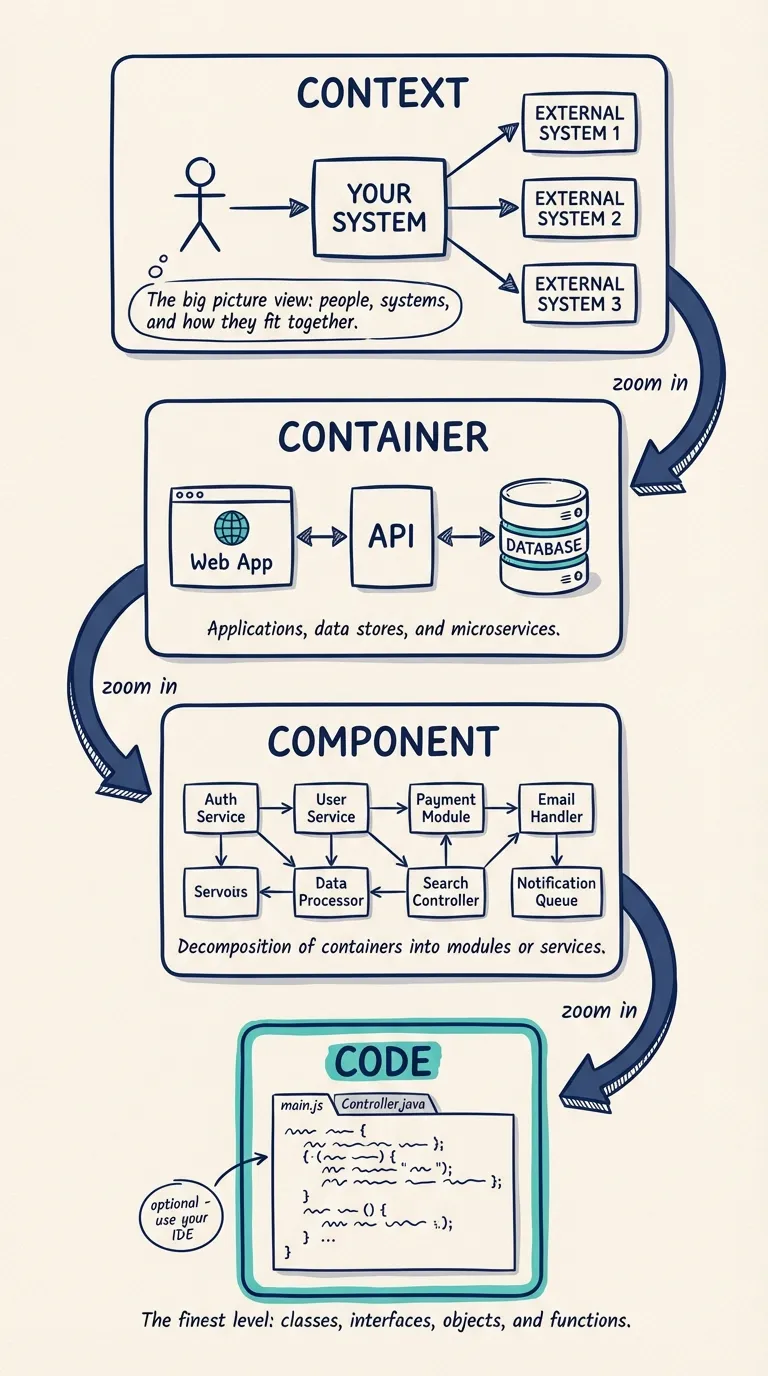
That's it. Four diagrams, one consistent approach, and a shared vocabulary that developers, architects, and stakeholders can all understand.
No sequence diagrams with 47 lifelines. No class diagrams that duplicate what's already in code. No state machines that nobody reads.
Just the views that actually matter for understanding how a system works.
Head-to-Head: C4 vs UML
Let's get specific about the differences:
| Aspect | C4 Model | UML |
|---|---|---|
| Diagram types | 4 core levels | 14 diagram types |
| Learning curve | Hours to days | Weeks to months |
| Notation complexity | Minimal: boxes and arrows | Extensive: dozens of symbols |
| Flexibility | Intentionally simple | Highly formal and prescriptive |
| Audience | Developers + stakeholders | Primarily technical roles |
| Adoption barrier | Low: intuitive even for non-architects | High: requires training |
| Tooling | Lightweight options (Structurizr, Revision) | Enterprise tools (Sparx, Rational) |
| Maintenance burden | Low: fewer diagrams to keep current | High: comprehensive docs rot fast |
| Formalization | Pragmatic convention | ISO/IEC 19501 standard |
The pattern is clear. UML trades simplicity for comprehensiveness. C4 trades comprehensiveness for actually getting used.
When UML Still Makes Sense
Let's be fair. UML isn't useless. There are legitimate cases where it's the right choice:
Regulated industries where formal documentation is legally required. Healthcare, finance, and defense contracts often mandate UML for compliance.
Academic settings where students need to learn the fundamentals of software modeling. Understanding UML concepts (like the difference between composition and aggregation) has educational value.
Code generation workflows where you're using model-driven development. If your toolchain generates code from UML models, the overhead might be worth it.
Large-scale enterprise architecture with dedicated modeling teams who have time and budget to maintain comprehensive documentation.
But notice the pattern. These are all situations with external pressure to use heavyweight notation. If you're a product team trying to ship software and communicate architecture clearly, UML is probably overkill.
When C4 Wins (Spoiler: Most Teams)
For the majority of modern software teams, C4 is the pragmatic choice:
- Startups and scaleups that need to move fast without documentation becoming a tax
- Platform teams documenting shared infrastructure for internal consumers
- Microservices architectures where you need clear boundaries between services
- DevOps environments where deployment topology matters as much as code structure
- Cross-functional teams where non-technical stakeholders need to understand the system
C4's strength is that it's easy to start and easy to maintain. You can sketch a Context diagram on a whiteboard in 10 minutes. You can update a Container diagram when you add a new service. You can share Component diagrams with stakeholders who've never heard of UML.
That's the bar. Documentation that gets created, stays current, and actually helps people understand the system.
The Real Question: Will Anyone Use It?
Here's the uncomfortable truth about architecture documentation.
The best notation is worthless if nobody maintains it. And the most comprehensive diagrams are useless if they're always six months out of date.
UML's comprehensiveness becomes a liability when it creates friction. Teams stop updating diagrams because the tooling is painful. Stakeholders ignore documentation because they can't read the notation. Architects become bottlenecks because they're the only ones who understand the models.
C4 optimizes for a different outcome: architecture diagrams that developers actually want to create and update. Simple notation, clear abstractions, and tooling that doesn't require a training budget.
Getting Started with C4
If you're convinced that C4 makes sense for your team, here's how to start:
- Draw a Context diagram of your system: who uses it, what external systems it integrates with
- Add a Container diagram showing the major technical building blocks
- Go deeper only when needed: Component diagrams for complex containers, skip Code diagrams entirely
Don't try to model everything. The power of C4 is restraint. Document what helps communication, skip what doesn't.
How Revision Helps
Revision is built specifically for teams that want C4-style architecture modeling without the ceremony.
You get diagrams that are connected to an underlying architecture model. When you rename a container, every diagram updates automatically. You get collaboration features designed for real teams, not enterprise architects working in isolation. And you get Azure integration that syncs your diagrams with actual infrastructure.
It's architecture documentation that stays alive. Not a dusty artifact from project kickoff.
You Might Also Like

Mermaid vs PlantUML: Which Diagram as Code Tool Should You Choose?
Mermaid is easier to start and easier to embed in docs. PlantUML is broader, deeper, and stronger for C4-heavy teams. Here is how to choose between them, and when neither is the right long-term answer for architecture docs.

Mermaid Architecture Diagram: When It Works, When It Breaks, and When to Move On
Thinking about using a Mermaid architecture diagram? Mermaid is fast, Git-friendly, and easy to drop into docs. But once systems grow, layout pain, duplication, and drift show up fast. Here is where Mermaid works, where it breaks, and when teams need something more.

Diagram as Code: When Text Wins, When It Doesn't, and What Comes Next
Diagram-as-code promises version control, diffs, and developer workflows. But it also trades visual thinking for syntax overhead. Here's an honest look at when text-based architecture works and when visual-first is better.
Architecture docs, finally.
Turn system knowledge into current architecture docs fast, with linked views and one shared model.
No credit card required